Mark Reservations as No-Show During Date Roll
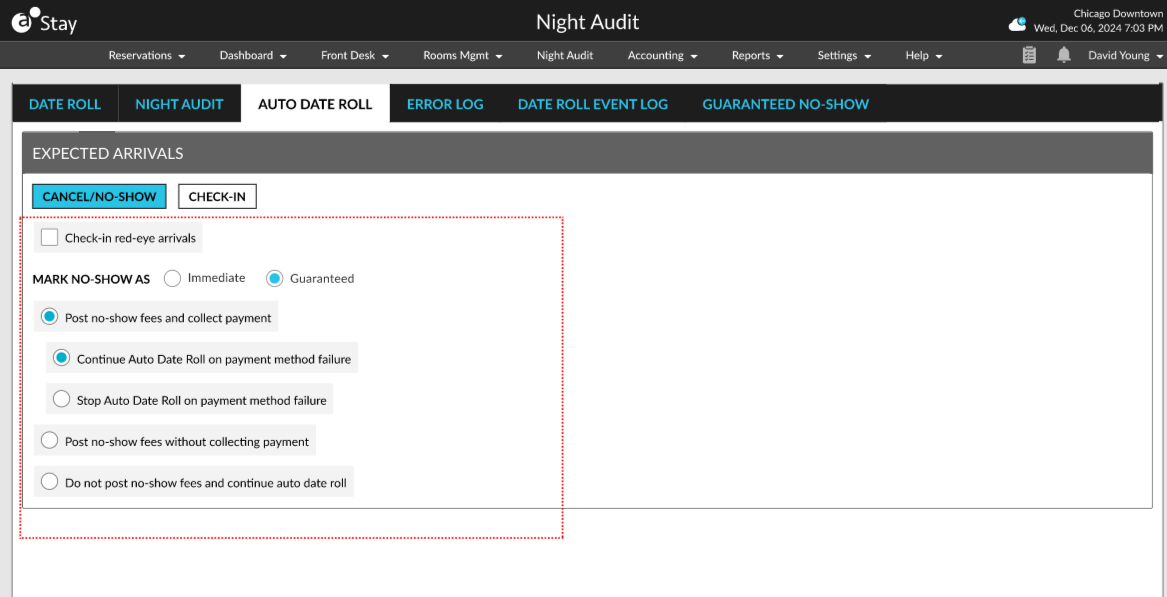
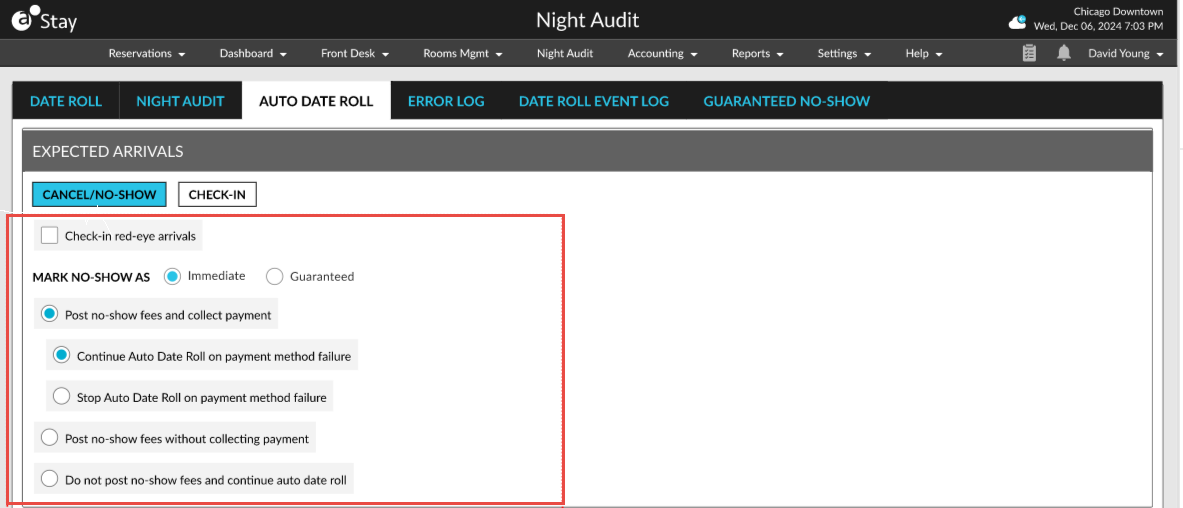
In the Auto Date Roll tab of the Night Audit screen, the Mark No-Show As section allows users to mark a no-show reservation as follows:
-
Immediate
-
Guaranteed
When the Immediate option is selected, the following changes occur:
-
Inventories are released during date roll.
-
The existing cancellation/no-show fee collection options are displayed.
-
The no-show status of the reservations is sent to interfaces during date roll.
When the Guaranteed option is selected, the following changes occur:
-
The inventory is held until the hold time is reached.
-
The reservation status is not sent to the interfaces. The status remains as RES until the hold time.
-
The No-Show (Guaranteed) status changes to No-Show after the hold time expires.
-
The No-Show reservation can be reinstated until the date roll.
-
Preauthorization will not be released when the reservation is marked as NOS (G).
The following options are displayed for collecting and posting the cancellation/no-show fee when the Guaranteed option is selected:
-
Post no-show fees and collect payment
-
Post no-show fees without collecting payment
-
Do not post no-show fees and continue Auto Date Roll
|
Field |
Description |
|---|---|
|
Post No-Show Fees and Collect Payment |
When this option is selected, the no-show fees will be collected during date roll. Users must select from the following actions to be performed when the date roll fails:
|
|
Post No-Show Fees Without Collecting Payment |
When this option is selected, the no-show fee is posted, and the date roll continues without collecting the payment. |
|
Do Not Post No-Show Fees and Continue Auto Date Roll |
When this option is selected, the no-show fee will be posted, and the date roll continues. |